Teach with Counter Academy

Become an Instructor.

Build your teaching profile and courses in one place. Counter Academy helps students discover you, follow where you teach, and book seats through participating stores.

Free to create your profile. You approve every class date.

What instructors can build with Counter Academy

Your public presence

Build your profile.

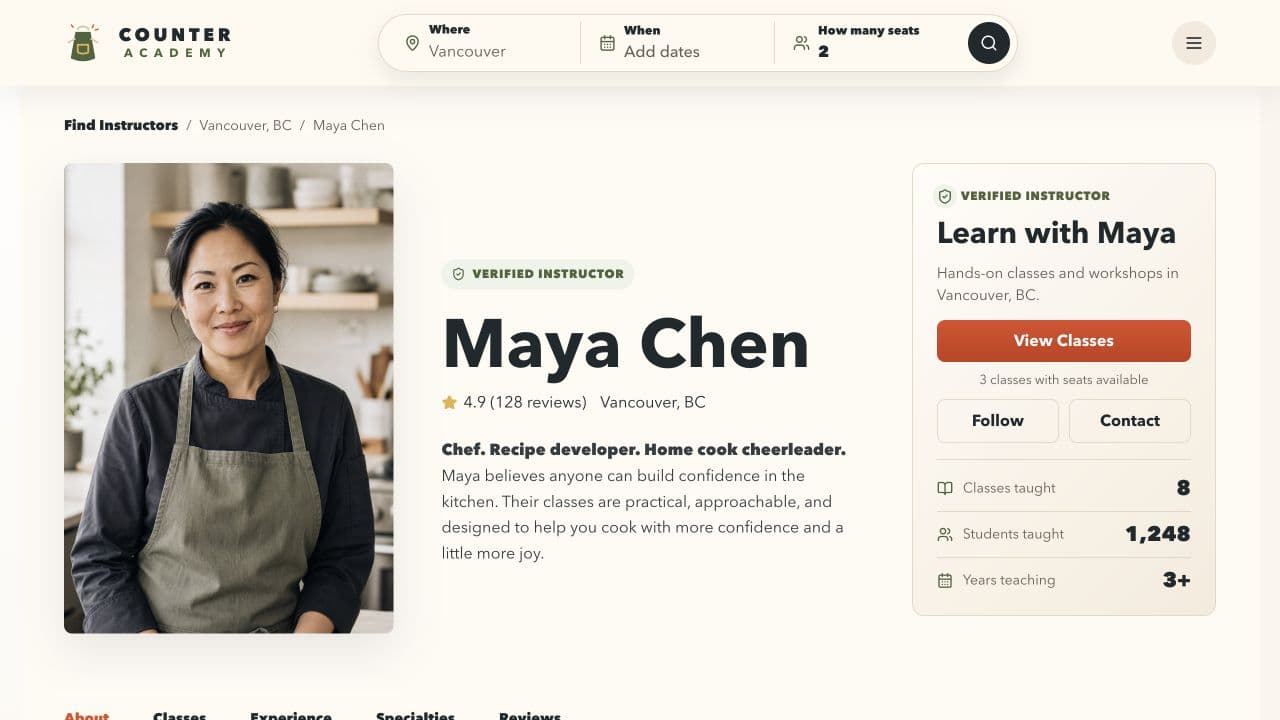
Your Counter Academy page introduces you, shows what you teach, and lists your upcoming classes. Students can discover your work, and stores or teaching locations looking for instructors can find and invite you. Participating stores can use the same approved photo and bio, so you do not have to maintain a different version at every location.

  • Public instructor page for students and stores
  • One photo and bio across your teaching network
  • Upcoming classes in one place
Get started
Counter Academy public instructor profile for Maya Chen
Your course material builder

Create repeatable courses for stores to host.

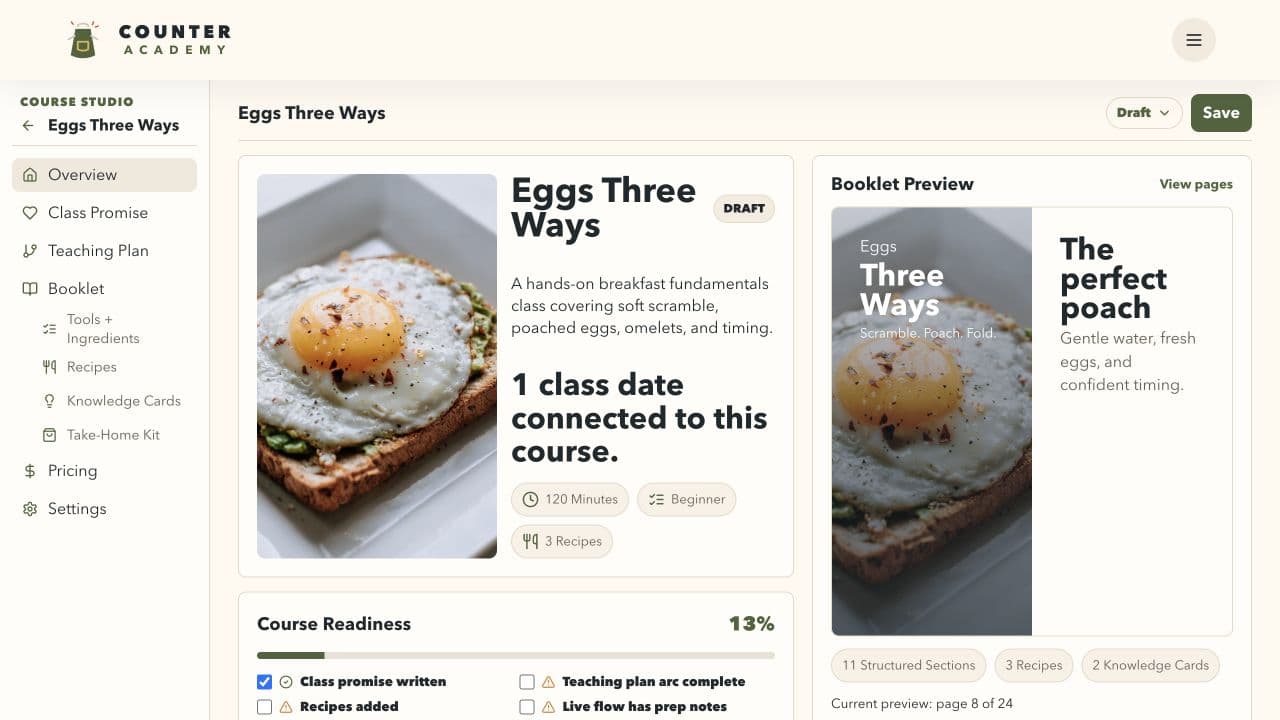
Create each course once, then offer it to participating stores. Keep the lesson flow, recipes, tools, ingredients, booklet, and take-home materials together in Course Studio, and improve the course over time.

  • Offer one course to multiple stores
  • Materials stay with the course
  • Improve it after every class
Counter Academy Course Studio showing a reusable course and its booklet materials
From course to class date

Show students where you teach next.

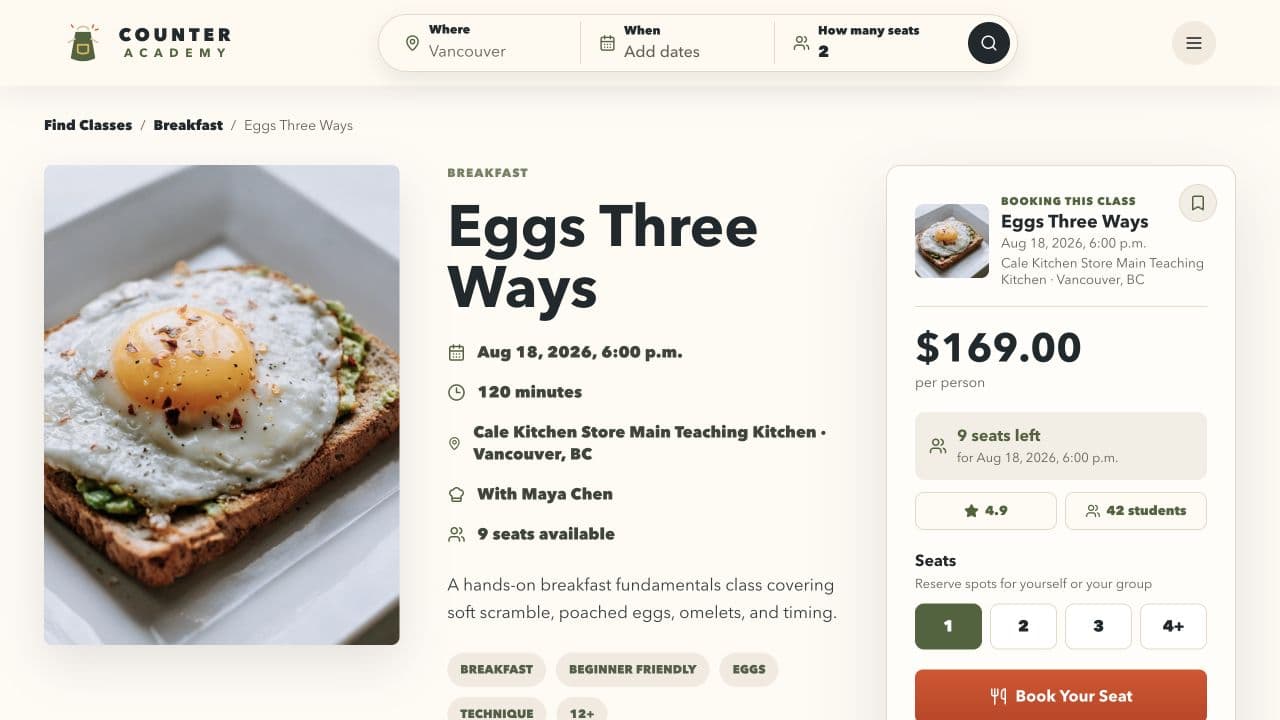
A host store turns your course into a class date by adding the location, capacity, student price, and relevant products. Once the details are approved, students see the finished class and book their seats through the store.
  • Store adds the date and seats
  • Store can connect products
  • Students book the approved class
Get started
Counter Academy public class page with a date, store, seats, price, and booking action
One connected network

One course can branch into many store listings.

Your profile and course stay yours. Each host store creates its own local listing with the date, seats, products, and booking.

You update the course once. Each store controls its own date, capacity, products, price, and checkout.

More tools for instructors

Everything around the class, in one place.

Create your materials, coordinate with stores, and run the class without stitching together separate systems.

  • Generate course artwork

    Generate consistent illustrations and knowledge-card artwork directly inside Course Studio.

  • Work with course and store branding

    Choose a visual style for your course, then add host-store branding and local details to each class date.

  • Create polished student materials

    Build student booklets, recipe cards, knowledge cards, QR cards, and take-home materials from one course plan.

  • Manage a reusable recipe library

    Keep recipes in one library and reuse the same source across courses, booklets, and student materials.

  • Connect with host kitchens

    Find host kitchens, receive invitations and date requests, and manage the stores where you teach.

  • Manage your teaching calendar

    See confirmed classes and store requests together, with calendar files you can add to your own schedule.

  • Keep waivers and documents ready

    Create reusable waivers and keep releases, insurance, and credentials ready for stores and classes.

  • Run class check-in

    View the roster and waiver status, check students in, and export the attendance list when you need it.

When you get started

Create your account. Then we'll guide you through building your profile and creating your first course.

Get started